Computer Science · Ch 10 — Computer Networks
Switch
Switch
A switch is a networking device that acts as the central connection point in a Local Area Network (LAN). Its job is to receive data from one device and send it only to the correct destination device, rather than broadcasting it to every device on the network.
Like a hub, a switch connects multiple computers or communicating devices together. But the similarity ends there. When data arrives at a switch, the switch does not simply repeat the signal out of every port. Instead, it extracts the destination address from the data packet and looks up that address in an internal table. The table tells the switch exactly which port leads to that destination. The switch then forwards the packet only to that specific device.
This selective forwarding is the key advantage of a switch over a hub. Because a switch sends signals to only selected devices, it reduces unnecessary traffic on the network. It can also forward multiple packets at the same time, as long as each packet is headed to a different destination port. This makes a switch much faster and more efficient than a hub in a busy LAN.
A switch also handles errors intelligently. If a signal arrives that is noisy or corrupted, the switch does not forward it. Instead, it drops that signal and asks the sender to resend the data. This prevents faulty data from wasting bandwidth or causing problems on the network. …
Drawn by us to help you understand the concept clearly, and verified to make sure it's accurate. For exams, practice from your NCERT textbook's own diagram.
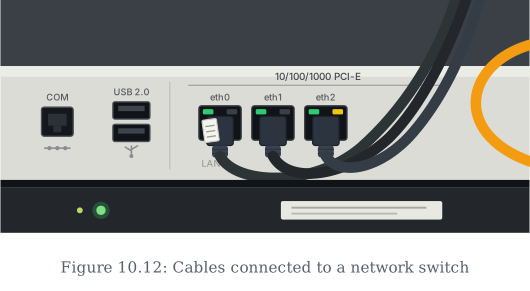
This is what the back of a real network switch looks like in use — several Ethernet cables plugged into labelled ports (eth0, eth1, eth2), each with its own status LED lit up to show an active connection. …