Computer Science · Ch 1 — Computer System
Input Devices
Input Devices
Input devices are the devices through which data and control signals are sent into a computer. Whatever a user wants the computer to work on — text, clicks, images, sound — must first enter the system through some input device.
What an input device actually does
A computer can only work with digital data. An input device therefore does more than just "receive" input — it converts the input data into a digital form that the computer system can accept. A keyboard converts key presses into digital codes; a scanner converts a printed page into a digital image; a touch screen converts finger positions into digital coordinates.
Common examples
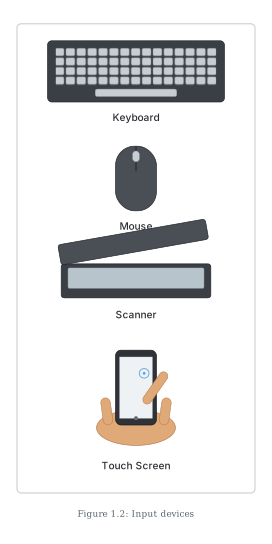
Some familiar input devices (shown in Figure 1.2) are:
- Keyboard — for typing text and commands.
- Mouse — for pointing, clicking and selecting.
- Scanner — for converting printed documents or pictures into digital images.
- Touch screen — for giving input by touching directly on the display.
Accessibility and newer input methods
Input is not limited to the standard keyboard and mouse:
- Braille keyboards are specially designed so that visually impaired users can enter data into a computer.
- Voice input is now common — for example, Google voice search lets us speak the search string instead of typing it, and the spoken words become the input to the web search.
Where the input goes …
Drawn by us to help you understand the concept clearly, and verified to make sure it's accurate. For exams, practice from your textbook's own diagram.
Figure 1.2 is a photo strip showing four everyday input devices — the hardware through which data and control signals enter a computer. From top to bottom it shows:
- a Keyboard — a full desktop QWERTY keyboard, the standard device for typing text and commands;
- a Mouse — a two-button wheel mouse, used for pointing, clicking and selecting;
- a Scanner — a flatbed document scanner with its lid, which converts printed pages or pictures into digital images;
- a Touch Screen — pictured as a hand holding a smartphone with a finger touching its screen, showing input given directly on the display itself. …