Computer Science · Ch 2 — File Handling in Python
The writelines() method
The writelines() method
The writelines() method is designed for writing multiple strings to a file in one go. Instead of calling write() repeatedly for each string, you pass an iterable object — like a list or a tuple — that contains the strings you want to write.
The method takes that iterable and writes each string from it into the file, one after another. It does not add any separators or newlines between the strings on its own. If you want each string to appear on a separate line, you must include the newline character \n at the end of each string yourself.
A key difference from the write() method: writelines() does not return the number of characters written. The write() method returns that count, but writelines() simply writes the content and returns nothing.
Here is the textbook's example to illustrate the usage:
>>> myobject = open("myfile.txt", 'w')
>>> lines = ["Hello everyone\n", "Writing #multiline strings\n", "This is the #third line"]
>>> myobject.writelines(lines)
>>> myobject.close()
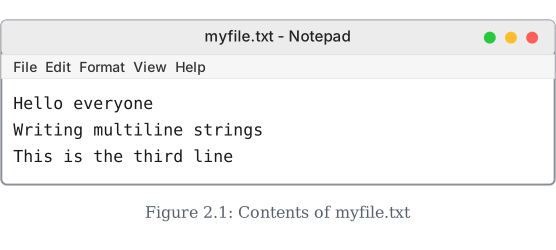
When you open myfile.txt in Notepad, the content appears exactly as three separate lines, because each string in the list already contains a \n at its end.
The writelines() method works with any iterable that yields strings — lists, tuples, sets, or even a generator. But the elements must be strings; passing numbers or other types will raise a TypeError. …
Drawn by us to help you understand the concept clearly, and verified to make sure it's accurate. For exams, practice from your textbook's own diagram.
This shows what myfile.txt actually contains after running the writelines() example from just above — opened here in Notepad, exactly as it would look if you double-clicked the file on your own computer.
The list passed to writelines() was ["Hello everyone\n", "Writing multiline strings\n", "This is the third line"]. Notice each of the first two strings ends with its own \n (newline) character, which is why they land on separate lines when the file is opened — writelines() does NOT add line breaks for you automatically; you have to include \n yourself wherever you want a new line to s …