Computer Science · Ch 1 — Computer System
Types of Memory
Types of Memory
Human beings memorise many things and recall them to make decisions — but we do not rely on memory alone; we also make notes and store important information in notebooks, manuals, journals and documents. Computers mirror this exactly: they have two types of memory — primary (the fast working memory) and secondary (the permanent record). Between them sits a third, special helper: cache memory.
(A) Primary memory
Primary memory is an essential component of a computer system: programs and data must be loaded into primary memory before processing, and the CPU interacts directly with primary memory for its read and write operations. It comes in two types:
RAM (Random Access Memory)
- RAM is volatile: it retains data only as long as power is supplied. The moment the power supply is turned off, all contents of RAM are wiped out.
- It stores data temporarily while the computer is working. Whenever the computer starts, or a software application is launched, the required program and data are loaded into RAM for processing.
- RAM is usually what is meant by main memory, and it is faster than secondary memory (storage devices).
ROM (Read Only Memory)
- ROM is non-volatile: its contents are not lost even when the power is turned off.
- It serves as a small but fast permanent store for contents that are rarely changed.
- Classic example: the startup program (boot loader) — the program that loads the operating system into primary memory when the computer switches on — is stored in ROM.
(B) Cache memory
RAM is faster than secondary storage, but it is still not as fast as the processor — so a CPU waiting on RAM may have to slow down. The remedy is cache: a very high speed memory placed between the CPU and primary memory.
How cache works:
- It stores copies of data from frequently accessed primary-memory locations.
- When the CPU needs data, it first examines the cache. If the required data is there, it is read from the cache; otherwise the primary memory is accessed.
- The overall effect is to reduce the average time needed to access data from primary memory.
(C) Secondary memory
Primary memory has two limitations: its storage capacity is limited, and it is either volatile (RAM) or read-only (ROM). So a computer system needs auxiliary or secondary memory to store data and instructions permanently for future use.
Properties of secondary memory:
- Non-volatile — contents survive power-off.
- Larger capacity than primary memory.
- Slower and cheaper than main memory.
- Not directly accessible by the CPU — contents of secondary storage must first be brought into main memory before the CPU can work on them. …
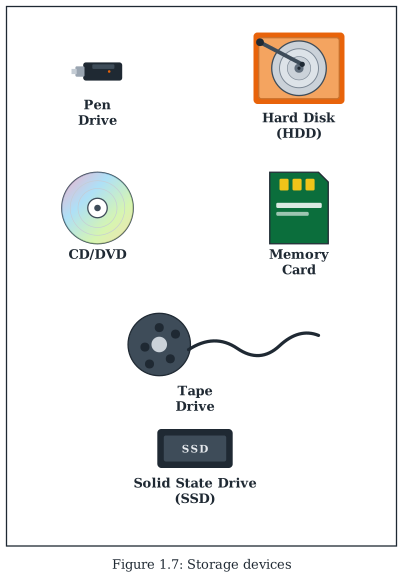
Drawn by us to help you understand the concept clearly, and verified to make sure it's accurate. For exams, practice from your NCERT textbook's own diagram.
Figure 1.7 is a tall photo panel showing six secondary storage devices — the non-volatile hardware where a computer keeps data, instructions and results permanently. From top to bottom the labelled photographs show:
- a Pen Drive — a small USB flash drive, the portable device that has made moving data between computers easy and simple;
- a Hard Disk (HDD) — shown opened, so the circular platter and the read arm that sweeps across it are visible; the traditional workhorse of permanent storage;
- a CD/DVD — an optical disc;
- a Memory Card — an SD card of the kind used in cameras and phones;
- a Tape Drive — a magnetic tape reel with a length of tape unspooled;
- a Solid State Drive (SSD) — a 2.5-inch drive case; the modern device that supports much faster data transfer than the older HDDs. …