Informatics Practices · Ch 5 — Internet and Web
Hub
Hub
An Ethernet hub is a simple network device that connects multiple devices — like computers or printers — using wired cables. Its job is to receive data from one connected device and broadcast that data to every other device connected to it. This is the core idea: whatever comes in on any port goes out on all the other ports.
A hub is a passive device — it does not examine the data or decide where it should go. It simply repeats the electrical signal to every port. Because of this, all devices connected to a hub share the same communication channel.
The biggest limitation of a hub is collisions. If two devices send data at exactly the same time, the signals overlap and become garbled. This is called a collision. The hub has no way to prevent or manage this — it just sends everything everywhere.
Hubs are measured by the number of ports they have. The textbook shows a hub with 8 ports (Figure 5.8). Common sizes include 4, 8, 16, or 24 ports.
- Purpose: Connect multiple wired devices in a local network (LAN).
- How it works: Broadcasts incoming data to all connected devices.
- Key limitation: No collision handling — simultaneous transmissions corrupt each other. …
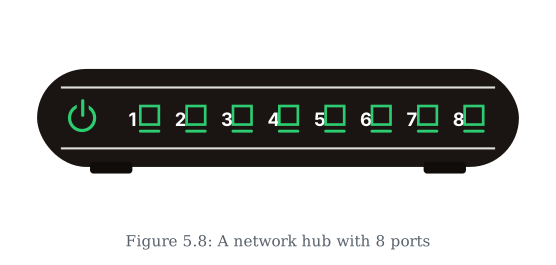
Drawn by us to help you understand the concept clearly, and verified to make sure it's accurate. For exams, practice from your textbook's own diagram.
This illustration introduces the hub, one of the section's network connecting devices. The front panel tells the whole story: a power indicator and eight numbered ports, each of which can take a cable from a different computer or device. A hub is thus a central box into which multiple machines are wired so they become part of one network — and the number of ports fixes how many devices it can join directly. The drawing keeps the device deliberately simple, mat …