Computer Science · Ch 1 — Computer System
Data Capturing, Storage and Retrieval
Data Capturing, Storage and Retrieval
Before data can be processed it has to pass through a life-cycle: it must first be captured (input), then stored in a file or database for future use, and finally retrieved from that store whenever processing is required. Each stage has its own methods and its own challenges.
(A) Data capturing
Data capturing is the process of gathering data from different sources in digital form. The instruments range from the very simple to the very sophisticated:
- a keyboard,
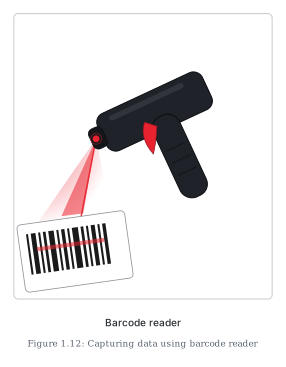
- barcode readers used at shopping outlets (Figure 1.12),
- comments or posts over social media,
- remote sensors on an earth-orbiting satellite.
The main challenge: the heterogeneity of data sources. When data comes from many different kinds of sources, in many formats, capturing it all becomes a complex task.
Activity 1.3 (from the book): visit places such as a bank, an automobile showroom, a shopping mall or a tehsil office, and find 2–3 tools or instruments they use to capture data in digital form.
(B) Data storage
Data storage is the process of keeping the captured data so it can be processed later.
- Data is now produced at a very high rate, which makes storage a challenging task — but the decreasing cost of digital storage devices has helped simplify it.
- Many digital storage devices are available in the market (the same secondary storage devices shown in Figure 1.7 — hard disks, CDs/DVDs, memory cards, pen drives, SSDs).
- Since data keeps increasing with time, storage devices need to be upgraded periodically.
- Large organisations deploy computers with larger, faster storage called data servers to hold vast amounts of data; such dedicated machines also help process data efficiently. The downside is cost — both hardware and software for setting up and maintaining a data server are expensive, which weighs especially on small organisations and startups.
(C) Data retrieval
Data retrieval means fetching data from the storage devices for processing, as the user requires. …
Drawn by us to help you understand the concept clearly, and verified to make sure it's accurate. For exams, practice from your NCERT textbook's own diagram.
Figure 1.12 is a photograph illustrating data capturing in action: a black, handheld, gun-style barcode reader with a red trigger grip, held pointing towards a barcode. The reader projects a red scanning beam onto the black-and-white striped barcode at the lower left of the frame.
The picture accompanies section 1.6.2(A), where the barcode reader is given as one of the everyday instruments for gathering data from different sources in digital form — the kind used at shopping outlets. The stripes of the barcode encode a product's identity; when the beam sweeps across them, the reader converts the printed pattern directly into digital data, which the shop's computer system can then store and process (for billing, stock records, and so on). …